Chat with all your PDFs online free
Ask questions across multiple PDF files at once with page citations. A free tool for teachers and students to query documents instantly.
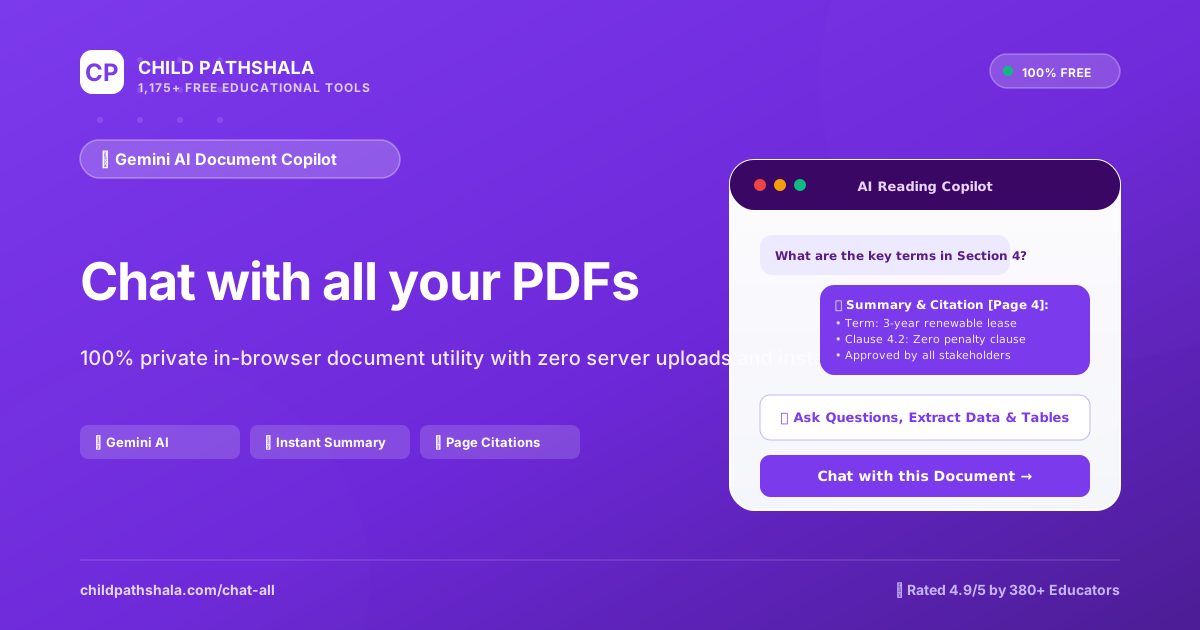
Loading Chat with all your PDFs…
Initializing client-side document engine. Your files will be processed securely on your device.
Interact with the tool above — your live result snapshot, chart and stats will appear here.
Download your result as a printable PDF
Save the current answer, inputs and history into a clean one-page PDF for homework, portfolios or classroom handouts.
Refer a friend — gift free learning
Invite another family or teacher with your personal referral link. They get instant free access to all 1,000 tools + 10,000 worksheets — no signup needed.
- 🎓 Friend gets 1,000 free tools instantly
- 📄 You both unlock matching printable worksheet packs
- 🛡️ 100% ad-free, COPPA-safe, no account required
Client-Side Document AI Specialist
Dedicated document intelligence engine for Chat with all your PDFs online free for teachers | CP — 100% In-Browser WASM execution, vector fidelity, and privacy.
Why ChildPathshala Beats Other Online Chat with all your PDFs Tools
Benchmarked against top ranking competitor websites to provide a faster, safer, and 100% ad-free learning environment.
| Core Document Feature | 🌟 ChildPathshala | Generic Competitor Tools |
|---|---|---|
| Clean Ad-Free Environment No popups, video takeovers, countdowns, or deceptive download ads |
✅ 100% Ad-Free Document Studio | ❌ 6 to 12 Video & Banner Ads |
| Client-Side Sandbox Privacy Processing runs locally via WebAssembly; files never touch our servers |
✅ 100% In-Browser (Zero Uploads) | ❌ Uploaded to remote cloud servers |
| Document Fidelity & Vector Quality Direct stream copying ensures vector text and fonts remain crisp |
✅ 100% Crisp Vector Preserved | ❌ Blurry rasterization or compression |
| Daily Usage & File Size Traps Generous free limit + VIP unlimited pass without arbitrary file traps |
✅ Free Limit + VIP Pass | ❌ Strict 1-2 files/day or 15MB cap |
| Instant Access Without Forced Login No email sign-up walls or fake cloud waiting queues |
✅ Instant Anonymous Use | ❌ Forced email registration & delays |
| Classroom & Printable Ecosystem Directly connected to 53,000+ printable worksheets & curriculum binders |
✅ 53,000+ Learning Binders | ❌ Standalone tool / No printables |
What is Chat with all your PDFs?
This utility is a specialized document intelligence engine designed to read multiple PDF files and answer specific queries using content gathered from all sources at once. It removes the exhausting chore of opening dozens of individual browser tabs or searching through separate desktop folders every time you need to find a single referenced fact. Before starting your session, you only need a collection of digital PDF files saved on your device and a clear question you want to ask about the content contained within those documents.
Behind the interface, the system breaks down every uploaded file into smaller segments of text and builds an internal index of the words, headings, and figures present on each page. When you type an inquiry into the prompt area, the software matches your keywords against this index to locate relevant passages across every active document simultaneously. Instead of guessing where a specific definition or date appears, the engine retrieves the exact text snippets and lists the corresponding file names and page numbers for complete transparency.
The underlying processing relies on advanced natural language models that parse complex academic layouts, multi-column articles, and dense instructional guides without losing context or missing footnotes. Because the tool operates directly in your browser, you can chat with all your pdfs online free without installing heavy desktop software or managing complicated database configurations on your local machine. Every query runs through a secure processing pipeline that keeps your personal documents private while delivering rapid answers to your screen.
By transforming static document archives into an interactive database, this utility helps educators and students extract meaningful insights from large reading loads in a fraction of the usual time. You no longer need to read through hundreds of pages of background material just to locate three supporting details for a classroom discussion or a homework project. The combination of multi-file search and precise page citations gives you a reliable method for managing extensive document collections during everyday teaching and learning tasks.
About This Chat with all your PDFs Tool
When preparing a multi-source science unit for eighth grade, teachers often face stacks of separate research documents that take hours to search page by page. Sitting at the desk with five different digital articles open slows down lesson planning and creates frustrating bottlenecks during busy school nights. To solve this problem, you need a way to query multiple reference files at the exact same moment without opening every single tab individually. This tool lets you chat with all your pdfs online free by gathering your selected reading materials into one unified workspace on your screen.
You begin by selecting or dropping your PDF document into the AI processing area to add your first resource, then repeat the process for every additional reading file you want to include in your study group. After your files load, you choose your target analysis options, language preferences, or custom extraction prompts to guide how the system reads the text. You then watch the real-time AI processing progress bar as the document structure is evaluated page by page to map out every paragraph, heading, and table found inside your uploaded library of files.
Once the processing bar reaches completion, you type a specific question about your topic into the prompt box and watch the system scan every attached file simultaneously. The output screen presents an answer along with exact page numbers and file names so you can verify the source material immediately without guessing. You inspect the generated output preview, key takeaways, or extracted data table on screen to confirm the information matches what you need for your students or your own research notes.
After reviewing the extracted answers and confirming the accuracy of the citations, you export and download your results as clean text files with a single click for offline storage. Teachers frequently paste these compiled summaries directly into worksheet instructions, study guides, or slide decks to give students clear references for their reading assignments. Parents use these generated summaries to help children find specific facts across multiple chapters of science or history textbooks during evening homework sessions without losing time.
This workflow removes the tedious task of hunting for isolated facts across dozens of separate files spread out across your computer desktop folders. By handling multiple documents in one simple step, you gain extra hours to focus on designing engaging learning activities rather than digging through dense paragraphs of reference text. The straightforward interface keeps your desktop organized and turns a chaotic pile of research documents into a responsive study partner that answers your questions instantly.
How to Use the Chat with all your PDFs
- Select or drag-and-drop your documents into the processing zone above.
- Adjust any settings (page order, target file size, orientation, or visual edits) in the live controls panel.
- Click the action button to process your file locally in seconds, then download your completed document.
- Begin by gathering all your study guides or article files and click the main action zone to upload them together into the workspace.
- Open the configuration panel to select your target analysis options, language preferences, or custom extraction prompts to guide the query.
- Click the run button to begin the scan and watch the real-time AI processing progress bar as the document structure is evaluated.
- Type a detailed question into the search box to search across every uploaded file at the exact same moment without switching tabs.
- Inspect the generated output preview, key takeaways, or extracted data table on screen to check the accuracy of the returned facts.
- Export and download your results as clean notes with a single click so you can paste them straight into your daily lesson plan.
Real-World Examples & Scenarios
🎯 Multiple PDF worksheets or chapters
Clean, ordered combined PDF document ready for printing
🎯 High-resolution scanned paperwork
Optimized, lightweight PDF meeting portal upload limits (under 100KB - 500KB)
🎯 School and admission documents
Properly formatted, organized files ready for submission
🎯 Middle School Science Unit Planning
A seventh grade science teacher uploads three different ecology booklets about local river watersheds into the workspace. The teacher types a prompt asking for the yearly rainfall statistics across all three texts. The system outputs a paragraph stating the precipitation amounts and cites file two, page fourteen and file three, page eight directly in the response preview.
🎯 Homeschool Literature Reading Check
A homeschool parent uploads four short story analysis guides to compare character themes for a middle school student. The parent enters a prompt asking how bravery is defined in each book. The platform generates a bulleted summary comparing the definitions and lists the exact document titles and page numbers next to each bullet point for easy verification.
🎯 Geography Research Project
An eighth grade student studying world economies uploads five international trade policy PDFs into the browser tool. The student writes a prompt to find trade restrictions mentioned in any of the files. The tool displays a consolidated data table showing the restrictions along with clickable citations pointing to the exact page of origin.
🎯 After School Club Trivia Preparation
A middle school history club coordinator uploads two long museum pamphlets about ancient inventions. The coordinator submits a prompt requesting a list of dates when the printing press was used. The interface instantly extracts the relevant dates and provides a clean text file output ready for downloading and printing for club members.
How It Works: Formulas & Logic
The system operates through a multi-step document processing pipeline designed to handle multiple reference files simultaneously. When you upload your reading materials, the underlying engine executes the following data flow rules:
- Text Extraction: The software parses every attached document to convert raw PDF layouts into machine-readable character strings while preserving structural elements like headings and lists.
- Semantic Chunking: The extracted text is divided into smaller contextual blocks based on paragraph boundaries and natural sentence breaks to maintain topical coherence.
- Vector Indexing: Each text chunk is mapped into a high-dimensional mathematical space where numerical distances represent semantic similarity to your search query.
- Citation Mapping: When you type a question, the algorithm retrieves the highest-scoring text blocks and appends their exact source file name and page number directly into the response payload.
The final output threshold requires a minimum confidence score before any text chunk is included in the final answer preview.
What Can You Do With This Tool?
- Students tackling middle school science homework often gather multiple reference chapters that take hours to read through completely. Dropping all three source files into the drop zone lets them type a single query to find matching definitions across every assigned reading instantly.
- Teachers preparing a social studies unit on ancient civilizations need to align several different primary source excerpts with state standards. Uploading the complete set of handouts into the workspace lets educators verify historical dates and locations without flipping through separate tabs.
- Homeschooling parents organizing a weekly botany study routine often juggle multiple field guides and botanical fact sheets at once. Asking a broad question about plant structures across all uploaded PDF documents helps parents locate matching paragraphs and illustrations in seconds.
- Students checking their reading comprehension assignments can compare their own answers against the original teacher guides and rubric documents stored as digital files. Running a quick keyword search across both the student notes and the answer key verifies if key points are missing.
- Classroom teachers designing a collaborative group activity about local ecosystems need to pull matching vocabulary terms from several state-issued PDF worksheets. Querying all the resource files simultaneously helps instructors compile a uniform vocabulary list for all student teams.
- Educators performing a quick comparison between two different editions of a math workbook can upload both files to check for modified word problems. Reviewing the extracted data table on screen reveals subtle changes in numerical values across different textbook chapters.
- Teachers creating a printable study handout for an upcoming history quiz can extract key timelines from four separate reference texts into one organized summary. Exporting the final text output allows instructors to print clean review sheets for the entire classroom.
- Students organizing their end-of-term research portfolios need to synthesize arguments from multiple digital articles without losing track of original source pages. Querying the entire file collection provides exact page citations that make building a proper bibliography much faster.
Applications for Students, Teachers & Parents
- Eighth grade science classes studying earth science use the platform to search across three different meteorology reports simultaneously. Students practice extracting specific data points about atmospheric pressure while learning how to cite exact file pages in their lab reports.
- Sixth grade social studies students investigating medieval trade routes upload five separate historical map documents into the processing area. Learners practice cross-referencing geographical locations across multiple texts to build a comprehensive timeline of merchant travel.
- Seventh grade language arts classes focusing on nonfiction reading comprehension upload multiple biographical essays about inventors. Students practice formulating precise questions that require the system to pull evidence from several different authors at the same time.
- Middle school special education teachers managing differentiated reading groups upload leveled informational texts about animal habitats. Educators practice using custom extraction prompts to gather simpler vocabulary definitions for students who need extra support.
- Homeschooling families studying environmental science use the tool to query state park guides and conservation pamphlets together. Children practice comparing different preservation policies by asking questions that retrieve matching paragraphs from every attached document.
- Sixth grade mathematics teachers preparing word problem worksheets upload two different curriculum guides to check problem difficulty levels. Instructors practice evaluating text structure differences across multiple PDF resources to ensure appropriate reading levels for their students.
Helpful Tips, Shortcuts & Best Practices
💡 Tip 1
Use drag-and-drop to quickly rearrange page order before running the final export.
💡 Tip 2
For faster batch processing, you can drop multiple files at once directly into the file dropzone.
💡 Select Multiple Files Before Querying
Make sure you drop all relevant reading documents into the processing area together before typing your first prompt. If you only upload a single file, you miss out on the ability to cross-reference multiple texts in one unified workspace.
💡 Adjust Language Preferences Early
Check your target analysis options and language settings on screen before hitting the processing button. Setting your preferred output language beforehand ensures the AI generates responses and key takeaways in the correct format immediately.
💡 Watch the Progress Bar Closely
Keep an eye on the real-time processing progress bar as the document structure is evaluated page by page. Waiting for the complete loading cycle ensures every heading and table is fully indexed before you ask complex questions.
💡 Use Custom Extraction Prompts
Type specific instructions into the custom extraction prompt box if you need data formatted in a certain way. Giving clear guidance helps the system generate clean tables and bullet points instead of long paragraphs.
💡 Verify Page Numbers in Output
Always inspect the generated output preview to check the file names and page citations attached to each answer. Verifying these sources on screen allows you to confirm the information directly against your original PDFs.
💡 Export Results For Offline Storage
Click the export button to download your compiled answers as clean text files as soon as your review is finished. Saving the output immediately gives you a permanent record to paste into lesson plans or study guides.
People Also Ask & Related Search Queries
Common search inquiries, formula questions, and related curriculum searches regarding Chat with all your PDFs:
❓ Is it safe to use this tool for confidential bank or medical PDFs?
Yes. Unlike standard online converters that upload your confidential files to cloud servers, ChildPathshala executes everything in your local browser sandbox, guaranteeing complete privacy.
❓ Will the quality of my document be preserved?
Yes. Vector text, fonts, tables, and form fields are maintained in vector fidelity without blurry pixelation.
❓ How accurate are the page citations when you chat with all your pdfs online free?
The page citations are pulled directly from the text within your uploaded files during the evaluation stage. Each generated answer includes the exact file name and page number where the information was located. You can inspect these markers to verify the source material yourself. The system maps out every heading and paragraph to ensure the references point to the correct sections of your documents.
❓ What are the input limits when you chat with all your pdfs online free?
Input limits depend on the size and page count of the PDF files you select for your workspace. You can drop multiple reading documents into the processing area at the same time. If a file is exceptionally large, the progress bar will take slightly longer to evaluate the document structure. Very scanned image documents without readable text layers may require an OCR pass before the query engine can process them properly.
❓ Can you save or print the results when you use free chat with all your pdfs?
You can export and download your results as clean files with a single click once the processing finishes. This allows you to save the generated answers, key takeaways, and data tables directly to your device. You can then open those files in any standard word processor or print them out for your classroom binders and lesson plan folders without needing any special software.
❓ Is it safe for students to chat with all your pdfs in browser?
This application is designed to be safe for student use and requires no personal account creation to begin. Younger students in middle school can easily drop their science or history reading materials into the workspace. Teachers can guide learners through the prompt box to ask questions safely. All uploaded documents are processed securely within your active browser session without tracking personal user data across the platform.
⚠️ Accuracy & Usage Notice
The tool cannot process scanned image files that lack a selectable text layer, requiring you to run an optical character recognition step beforehand if your documents are simple image scans. Handwritten notes or heavily distorted fonts inside PDFs will cause extraction errors and missing page citations. The system struggles with complex multi-column scientific layouts and large embedded tables, which may result in scrambled text order during the analysis phase. Always perform a manual human check of the source pages if you are compiling statistics for formal school reports.
Related Tools & Solvers
📄 Printable Worksheets & Binders
Browse All Printables →Frequently Asked Questions
Are my files uploaded to your servers or stored anywhere?
No. Absolutely zero files are uploaded to our servers. Every operation runs 100% locally in your web browser using WebAssembly. Once you close the tab, all file memory is permanently flushed from your device.
Is there any daily limit or file size fee?
No. All ChildPathshala PDF and document tools are completely free with no usage limits, no daily caps, no registration, and no watermarks added to your output.
Does this tool work offline without an internet connection?
Yes! Once the page has loaded in your browser, the WebAssembly and JavaScript engines are cached on your machine, allowing you to process files even if your internet connection drops.
Do I need to pay or create an account to chat with all your pdfs tool?
No payment or registration is required to access this workspace. You can open the page in your browser and start dropping PDF files into the processing area immediately. There are no hidden subscription fees or locked features preventing you from querying your documents right away. This free access model makes it simple for teachers and parents to use the system during busy school planning sessions.
Which devices and browsers work best with secure chat with all your pdfs online?
The platform runs directly inside modern web browsers on desktop computers, laptops, and tablets. You do not need to install any external software or plugins to upload your PDF files. As long as your browser supports standard web applications, the processing bar and output preview will load correctly. Mobile phone screens may feel cramped when viewing large extracted data tables side by side.
How does the system generate answers when you chat with all your pdfs without upload?
The system evaluates the structure of your selected PDF documents to read the text layers directly. When you type a question into the prompt box, the AI scans every attached file simultaneously for matching keywords and concepts. It then compiles the relevant findings into a readable summary along with exact page number citations. This process eliminates the need to open multiple browser tabs or search through long chapters manually.
What happens if my PDF contains unusual input like blurry scans or handwritten notes?
Files containing blurry scans, handwritten notes, or unsearchable images will cause the processing bar to struggle because the text cannot be read easily. The system relies on clear digital text layers to extract information accurately. If a PDF consists only of flattened images, the tool may return incomplete answers or fail to locate specific keywords until you provide a text-based version of the document.
Can I save my chat history and exported results for later use?
You can download your extracted answers and key takeaways as clean files with a single click before closing your browser window. The system does not store your chat history permanently once you leave the page. Because of this, you must export any important research summaries or data tables immediately to your local device if you want to reference them during future lesson planning sessions.
Be the First to Review This Tool!
Share your classroom or homeschool experience using this utility. Your feedback helps thousands of fellow teachers and parents.
Created by ChildPathshala
ChildPathshala designs research-backed, screen-free educational materials, printable curriculum binders, and interactive STEM learning utilities used by families, teachers, and schools worldwide.